
[ Batch encode workflows ]
Bulk URL Encode & Decode
Process many URLs or query strings in one run, preserving delimiters and reserved characters so large API prep tasks stay consistent.
Built for everyday utility work
</> { }Paste a value, run the utility, copy clean output. From URL encoding to JSON validation and query prep, these are the fast fixes developers reach for between requests, tests, and deploys.
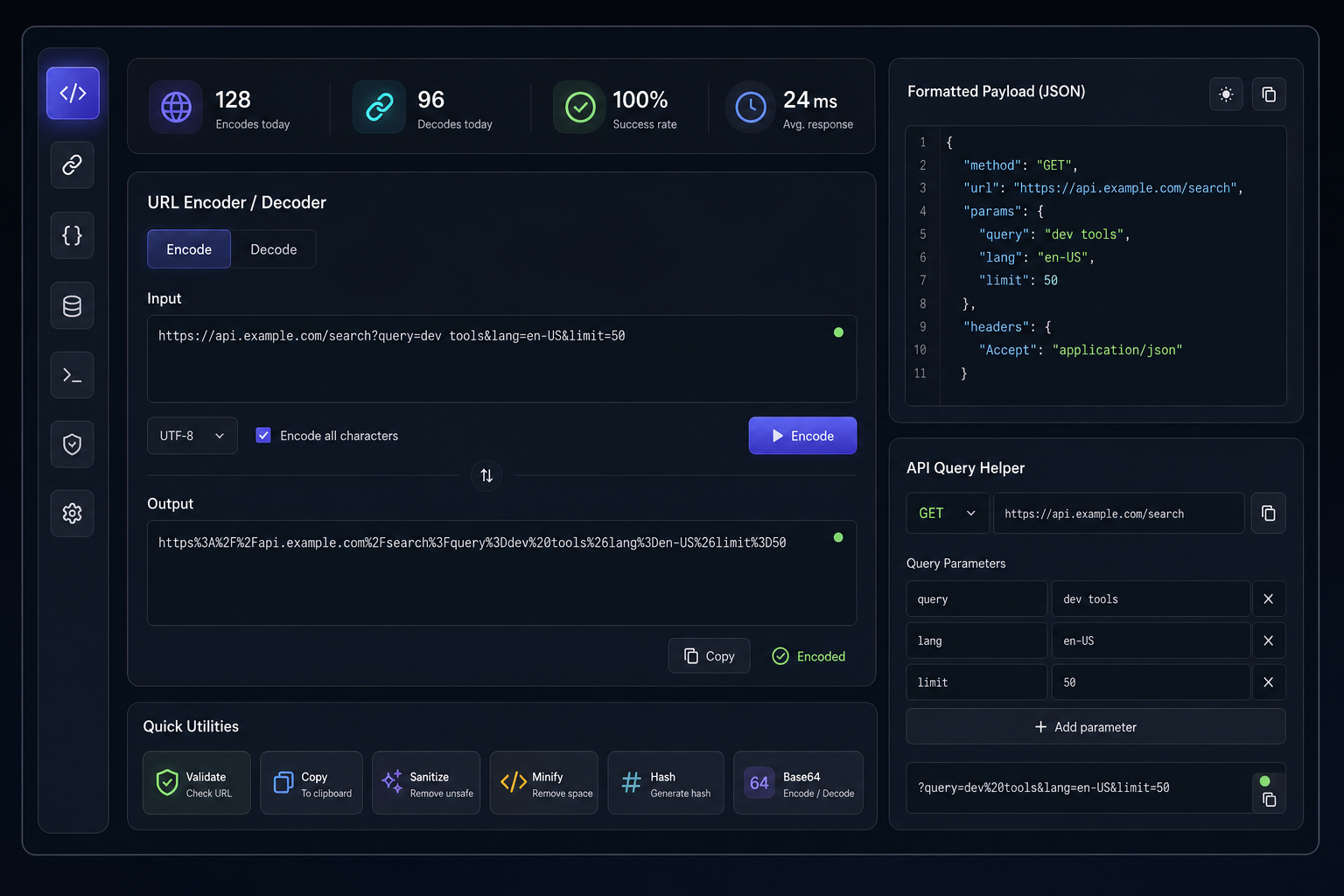
Tool library
Built for everyday dev tasks: clean input in, dependable output out, with no context switching.
Advanced utility set
Use deeper utilities when basic encode/decode is not enough—clean large inputs, inspect structure, compare outputs, and reuse repeatable patterns without leaving the browser.
[ Batch encode workflows ]
Process many URLs or query strings in one run, preserving delimiters and reserved characters so large API prep tasks stay consistent.
[ Payload transformation ]
Convert nested JSON into URL-safe query parameters and back again, with clear output you can paste directly into requests and tests.
[ Output comparison ]
Compare two payloads side by side to spot field-level changes, missing keys, and formatting drift before shipping updates.
[ Snippet automation ]
Save validated request fragments and parameter presets so recurring endpoint setup stays fast, accurate, and standardized.
[ Structure analysis ]
Inspect parsed code structure to debug edge cases, verify transformations, and understand how complex expressions are interpreted.
Workflow
Start with raw input, run the exact utility you need, then carry clean output into requests, tests, or docs. The process stays quick and predictable from one task to the next.
Step 1 · Add source input
Drop in a URL, query fragment, JSON block, or payload text directly in the page editor so the tool starts from your real data.
Step 2 · Run utility
Encode, decode, validate, or transform in one action, then quickly review structure, formatting, and flags before moving forward.
Step 3 · Reuse output
Use the generated value in an API call, test case, or internal note, then iterate fast by updating the same input for the next variant.
Trust highlights
Built for real utility loops: paste input, run a tool, verify output, and move on quickly with fewer avoidable errors.
Speed
01Utilities run directly in the page, so quick encode/decode checks do not interrupt your coding flow.
Best for: rapid request prep before an API call.
Clarity
02Formatted output and explicit validation states make it obvious what changed and what is safe to use.
Best for: JSON checks and payload sanity passes.
Repeatability
03Deterministic transforms help teams rerun checks across QA and integration without confusing output drift.
Best for: verifying fixes across multiple test runs.
Reduced friction
04Encoding, query cleanup, and validation happen in one workspace instead of scattered tools and manual rework.
Best for: day-to-day API and integration workflows.
PRACTICAL SCENARIOS
These are the quick checks developers use before shipping requests: clean the URL parts, verify payload shape, and normalize query input for repeatable tests.
Paste input → run utility → copy safer output
Drop in raw path segments or query values, encode them for safe transport, then decode response values to confirm exactly what the endpoint parsed.
Paste the request body, format it, and catch syntax or escaping mistakes early so failed calls do not come from preventable structure errors.
Best for: API handoff checks, QA regression payloads
Convert ad-hoc key-value notes into clean query strings with stable ordering and predictable formatting that teammates can reuse across tickets and tests.
Best for: reproducible test URLs and shared request snippets
Run each scenario directly on this page, copy the output, and move forward with cleaner inputs and fewer avoidable request errors.
FAQ
Quick answers for direct in-browser tool use, from pasting input to validating and copying results.
Yes. Drop in the entire URL or query string, then run encode/decode or cleanup helpers to isolate values and fix separators without manual patching.
Pick the utility that matches the job (format, validate, encode, or transform) and run it once. You’ll get usable output immediately in the results pane.
They are. Copy grabs the transformed value exactly as shown, including Unicode, reserved characters, escaping, and line breaks.
Absolutely. Run formatting first, then validate. It’s a quick way to catch syntax, delimiter, or structure issues before the request leaves your browser.
Mostly quick pre-request checks: URL/query cleanup, payload normalization, validation passes, and repeatable debug steps that come up all day.
Need a broader view of what you can run here day to day?
Explore the tool library